
Best Android Tablets – 2025’s Ultimate Guide from Budget to Flagship

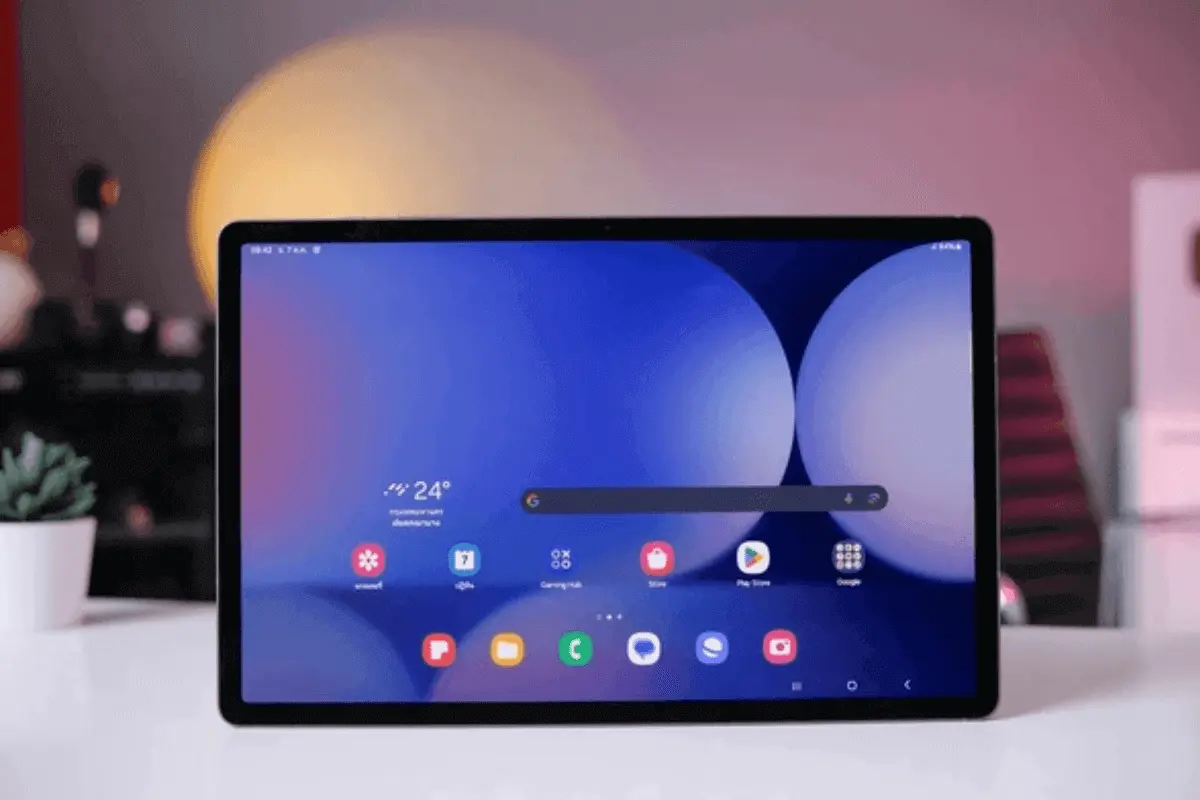
Android tablets in 2025 are smarter, faster, and more powerful than ever. Whether you’re looking for a budget tablet for everyday tasks or a premium device for work, study, or entertainment, there’s an option for you. Today’s tablets come with high-resolution displays, long battery life and features that rival laptops and iPads.
This guide highlights the best Android tablets across all price ranges—budget, mid-range, and flagship. Whether you’re a student, artist, business user or casual browser, you’ll find the right tablet that matches your needs and budget.
Why Android Tablets Are a Smart Choice in 2025
Android tablets are a smart pick in 2025. They are affordable, flexible and easy to use. Unlike iPads, Android tablets come in many brands and sizes. You can choose what fits your needs and budget. Many models support pens, keyboards, and multitasking. They work well for school, work, or fun. Android also connects smoothly with Google apps. You can add more storage and change the settings to suit you. That’s why many people—students, workers, and everyday users prefer Android tablets.
Top Android Tablet Brands Leading in 2025
In 2025 a few big tech brands are leading the Android tablet market. Here’s a quick look at the top names and what they offer:
Samsung
Samsung’s Galaxy Tab series is still the top choice. The Galaxy Tab S9 models come with bright AMOLED screens an S Pen stylus and DeX mode for desktop style use. These tablets are perfect for work art or play.
Lenovo
Lenovo is popular for budget and mid-range tablets. Its P and M series are great for students, families, and professionals. They offer good performance at a lower price.
Xiaomi
Xiaomi offers high-end features at a reasonable price. The Pad 6 and Pad 6 Pro are great for gaming, watching videos, and daily tasks.
Huawei
Huawei tablets like the MatePad 11.5 and MatePad Pro have strong hardware and smooth performance. They don’t use Google services but run well on HarmonyOS. These tablets suit users who are okay with a different app setup.
|
Tablet Name |
Category | Screen Size | Performance | Stylus Support |
Estimated Price (AED) |
| Lenovo Tab M10 (3rd Gen) | Budget | 10.1″ | MediaTek Helio P22T | No | ~599 |
| Samsung Galaxy Tab A9 | Budget | 8.7″ | MediaTek MT8786 | No | ~749 |
| Redmi Pad SE | Budget | 11″ | Snapdragon 680 | No | ~799 |
| Lenovo Tab P11 Gen 2 | Mid-Range | 11.5″ | MediaTek Helio G99 | Yes (Optional) | ~1,100 |
| Huawei MatePad 11.5 | Mid-Range | 11.5″ | Snapdragon 7 Gen 1 | Yes (M-Pencil) | ~1,299 |
| Samsung Galaxy Tab S6 Lite | Mid-Range | 10.4″ | Exynos 9611 | Yes (Included) | ~1,399 |
| Xiaomi Pad 6 Pro | Premium | 11″ | Snapdragon 8+ Gen 1 | Yes (Optional) | ~2,199 |
| Samsung Galaxy Tab S9 | Premium | 11″ | Snapdragon 8 Gen 2 | Yes (Included) | ~2,999 |
| Lenovo Tab Extreme | Premium | 14.5″ | MediaTek Dimensity 9000 | Yes (Included) | ~3,299 |
Best Android Tablets by Price Segment
Best Budget Android Tablets (Under $200 / AED 800)
Lenovo Tab M10 (3rd Gen)
The Lenovo Tab M10 is perfect for casual browsing, video streaming, and kids’ educational apps. It features a 10.1-inch HD screen, MediaTek processor and runs Android 12, providing a clean and responsive user experience for light tasks.
Redmi Pad SE
Xiaomi’s Redmi Pad SE is a standout in the sub-AED 800 category. Featuring an 11-inch FHD+ screen with a 90Hz refresh rate and a Snapdragon 680 chipset it offers smooth visuals and decent performance for multitasking and entertainment.
Samsung Galaxy Tab A9
This compact 8.7-inch tablet is ideal for on-the-go usage. With a sleek design, expandable storage, and Samsung’s One UI interface, the Tab A9 is great for light users who want reliability in a portable form.
Best Mid-Range Android Tablets (AED 800–1800)
Looking for a quality tablet without spending too much? These mid-range Android tablets give you strong performance, transparent displays and helpful features at a fair price.
Lenovo Tab P11 Gen 2
- Screen: 11.5-inch 2K display
- Processor: MediaTek Helio G99
- Suitable for: Students and home use
- Extras: Works with a stylus and keyboard
- Why choose it? It’s fast, sharp and easy to carry—great for school and browsing.
Huawei MatePad 11.5
- Screen: 11.5-inch FullView, 120Hz refresh rate
- Processor: Snapdragon 7 Gen 1
- System: HarmonyOS 3.1 (No Google apps)
- Good for: Notes, split-screen tasks, and sketching
- Why choose it? Smooth display and multitasking tools make it ideal for creative users.
Samsung Galaxy Tab S6 Lite (2024 Edition)
- Screen: 10.4-inch LCD
- Battery: Lasts up to 13 hours
- Includes: S Pen for free
- Suitable for: Drawing, notes and watching videos
- Why choose it? Affordable Samsung tablet with stylus and extended battery—ideal for both studying and entertainment.
Best Premium Android Tablets (AED 1800 and Above)
Samsung Galaxy Tab S9 / S9+ / S9 Ultra
The Galaxy Tab S9 series offers top-tier performance, AMOLED 2X displays with 120Hz refresh rate, S Pen integration, and IP68 water resistance. Paired with Samsung DeX, these tablets transform into powerful workstations with keyboard attachments.
Xiaomi Pad 6 Pro
Equipped with a Snapdragon 8+ Gen 1 processor, 8GB RAM, and a 144Hz WQHD+ screen, the Pad 6 Pro is a dream device for gamers and power users. It supports a magnetic stylus and keyboard and excels at smooth multitasking.
Lenovo Tab Extreme
This high-end tablet features a 14.5-inch OLED 3K screen, MediaTek Dimensity 9000 processor, and up to 12GB RAM. It’s ideal for creatives, professionals, and anyone needing an Android-powered productivity machine.
Best Android Tablets by User Type
For Students and Education
Students need lightweight tablets with long battery life and stylus support.
Top Picks:
- Samsung Galaxy Tab S6 Lite
- Lenovo Tab P11 Gen 2
- These tablets support Google Classroom offer smooth note taking and handle research tasks with ease.
For Artists and Creatives
Creative users should look for color accurate screens and pressure sensitive stylus support.
Top Picks:
- Samsung Galaxy Tab S9 Ultra
- Lenovo Tab Extreme
- They also work well with apps like Clip Studio Paint and Adobe Creative Cloud.
For Business and Productivity
Professionals need multitasking tools and productivity apps.
Top Picks:
- Huawei MatePad 11.5
- Samsung Galaxy Tab S9+
- These tablets support split-screen use, desktop modes and external keyboard or monitor connections.
For Gaming and Entertainment
Gamers and streamers need smooth displays and intense audio.
Top Picks:
- Xiaomi Pad 6 Pro
- Samsung Galaxy Tab S9
- With fast processors and high refresh rates they offer lag free gaming and rich movie experiences.
For Kids and Family Use
Family tablets should be safe easy to use and durable.
Top Picks:
- TCL TAB 10s Kids Edition
- Samsung Galaxy Tab A9 (Kids Mode)
- They feature parental controls fun learning apps and strong child-safe designs.
| User Type | Recommended Tablets |
Key Features |
| Students | Samsung Tab S6 Lite, Lenovo Tab P11 Gen 2 | Stylus, good battery, note-taking apps |
| Artists & Creatives | Galaxy Tab S9 Ultra, Lenovo Tab Extreme | Pressure-sensitive stylus, high-res OLED screen |
| Professionals | Galaxy Tab S9+, Huawei MatePad 11.5 | Keyboard support, DeX mode, desktop-like experience |
| Gamers & Streamers | Xiaomi Pad 6 Pro, Samsung Galaxy Tab S9 | High refresh rate, strong GPU, immersive audio |
| Kids & Family Use | TCL Tab 10s Kids, Galaxy Tab A9 with Kids Mode | Parental controls, durable design, education apps |
Key Features to Look for in an Android Tablet
Display Quality
- Choose a Full HD (FHD) or higher resolution screen.
- OLED or AMOLED displays offer richer colors and deeper contrast.
- Ideal for watching videos, editing photos or digital drawing.
Processor and RAM
- Look for fast chips like Snapdragon 7/8 series or MediaTek Dimensity G99.
- A minimum of 4GB RAM is okay but 6GB or more is better for multitasking.
- Smooth performance enhances gaming, browsing, and multitasking with multiple apps.
Storage and Expandability
- Start with at least 64GB of internal storage.
- Pick tablets that support microSD cards for extra space.
- This is helpful if you store offline videos, documentsa or games.
Battery Life
- Aim for 8–10 hours of use on a single charge.
- Fast charging is a bonus especially for work or travel.
- A strong battery keeps you connected all day.
Stylus and Keyboard Support
- Opt for models with active stylus support for enhanced note-taking and drawing capabilities.
- Magnetic or detachable keyboards make typing easier.
- Perfect for students, artists, and office users.
Software and Updates
- Choose tablets with Android 13 or newer.
- Look for brands that offer regular updates.
- Samsung and Lenovo provide long term support on many models.
Where to Buy the Best Android Tablets
If you’re in Dubai or anywhere in the UAE you can buy top Android tablets from the following trusted sellers:
Physical Stores
- Sharaf DG – Wide range of brands and accessories.
- Jumbo Electronics – Known for great after-sales support.
- Carrefour UAE – Offers bundle deals and seasonal discounts.
- Dubai Mall Electronics Outlets – Multiple brand stores in one place.
Online Retailers
- Amazon – Fast delivery and customer reviews to guide your purchase.
- Noon – Regular discounts and easy return policies.
- Xiaomi UAE – Buy directly from the brand for the latest models.
- Samsung UAE – Official store with warranties and offers.
Most of these sellers offer warranty, installment payment options and after-sales services for your peace of mind.
Tips for Buying Android Tablets in 2025
Before making your purchase, consider:
- Use case: Match the device to your specific needs study, art business or casual use.
- Future-proofing: Choose a model with decent RAM and update support.
- Local support: Ensure UAE warranty and service center access.
- Bundle offers: Look for tablets that include a stylus or keyboard for better value.
|
Feature |
What to Look For |
| Display | FHD+ resolution, AMOLED or OLED for better color and contrast |
| Processor & RAM | At least 4GB RAM, Snapdragon 7/8 series or MediaTek G99 for smooth performance |
| Storage | 64GB minimum; microSD card support for expansion |
| Battery Life | 7000 mAh or higher, fast charging (18W+) support |
| Stylus & Keyboard | Optional or included stylus, magnetic or detachable keyboard |
| Software & Updates | Android 13+, good update policy (Samsung and Lenovo provide multi-year updates) |
Final Thoughts
In 2025, Android tablets are designed to meet the needs of every user.
- Working remotely
- Attending online classes
- Editing photos
- Streaming Netflix
…there’s a device for you.
If you’re on a budget, tablets like the Redmi Pad SE or Lenovo M10 offer solid performance without a high price tag. On the other hand, professionals and power users will appreciate high-end models like the Galaxy Tab S9 Ultra or Lenovo Tab Extreme for their speed, display quality, and features.
Thanks to continuous innovation and competitive pricing, Android tablets in 2025 deliver outstanding value, performance and usability—whether you’re in Dubai, the UAE, or anywhere else in the world.
For a handpicked selection of the latest Android tablets, along with exclusive offers and easy shopping, visit Smart Spot. The website provides a trusted platform to explore, compare, and order the best tablets in the UAE—backed by reliable service and secure checkout.
FAQs
1. What is the best budget Android tablet in 2025?
The Redmi Pad SE and Lenovo Tab M10 (3rd Gen) are top picks under AED 800.
2. Which Android tablet is best for drawing and creative work?
The Samsung Galaxy Tab S9 Ultra and Lenovo Tab Extreme support advanced stylus features for artists.
3. Can Android tablets replace laptops?
Yes, high-end models with keyboard and DeX support, like the Galaxy Tab S9+ can replace laptops for many users.
4. Are there Android tablets with 5G support?
Yes, select models in the Galaxy Tab and Huawei MatePad series support 5G.
5. What’s the most powerful Android tablet available now?
The Lenovo Tab Extreme and Galaxy Tab S9 Ultra lead the high-performance segment.
6. Do Android tablets get regular software updates?
Premium brands like Samsung and Lenovo offer multi-year Android updates on flagship devices.
7. Are Huawei tablets still use able without Google?
Yes, Huawei tablets run on HarmonyOS with alternative app stores and many core apps now supported.
8. Which Android tablet is best for kids?
The TCL Tab 10s Kids Edition and Samsung Galaxy Tab A9 (Kids Mode) offer safe content and parental control.
9. Is it better to buy Android tablets online or in-store?
Both are safe. Online offers more discounts, but in-store lets you test the device before buying.
10. Do Android tablets work well with external monitors?
Some tablets, like the Galaxy Tab S9 series, support HDMI-out and wireless casting, making them ideal for professionals.
Must visit: